

General information - installing the RECALO SAM Scan App
Generally, the application is made available via the Google Playstore. This has the following advantages:
- uniform and certified deployment process
- deployment of the latest version of the app for all business partners
In exceptional cases, RECALO SAM Scan App is not made available in the Google Playstore. These are then separate and customized versions of the App that have been developed individually for RECALO partners.
Step 1 - Installing the RECALO SAM App
Installing the app from the Play Store.
Simply search for the application using the search function in the Play Store.
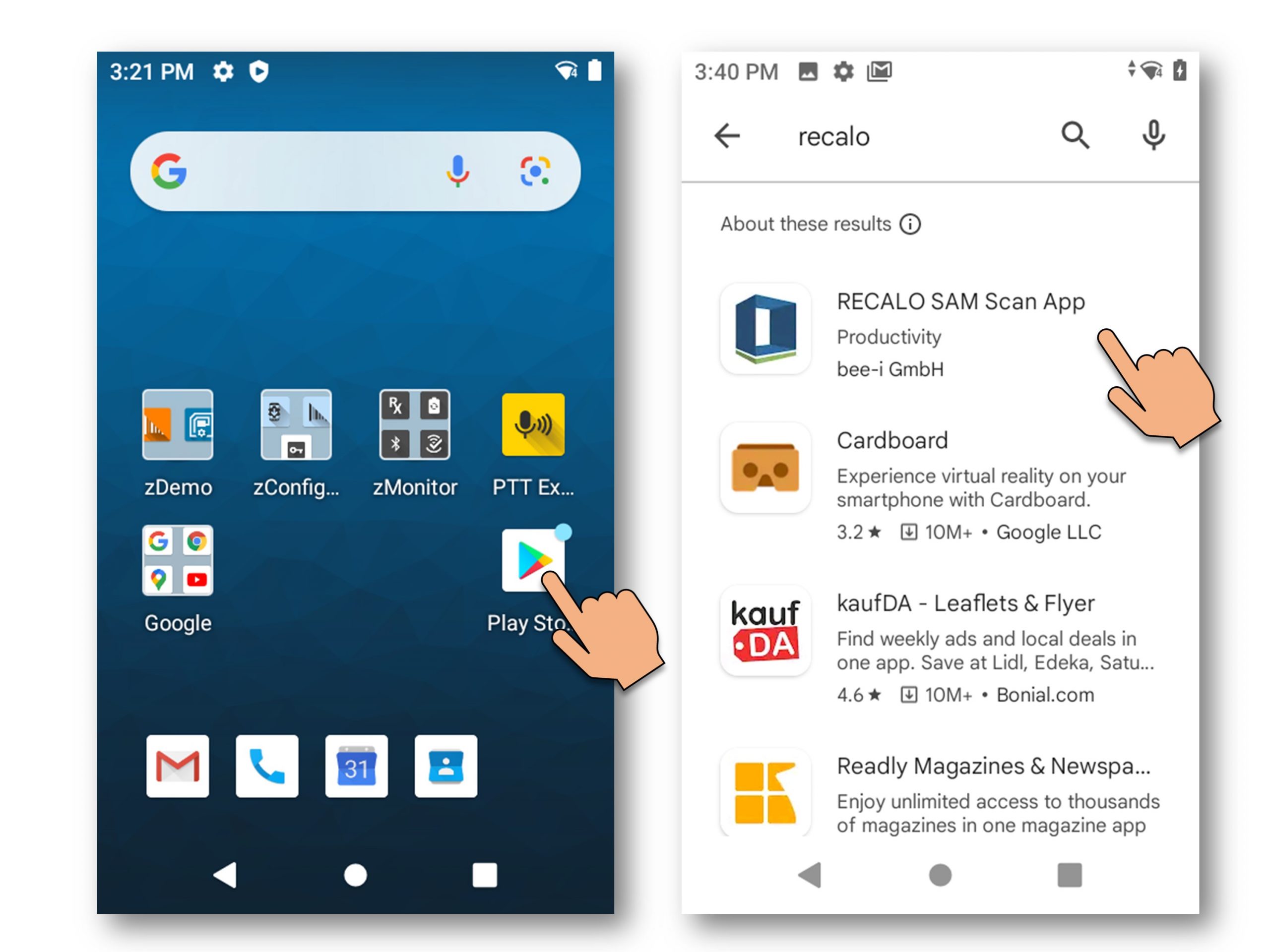
Google Play Store
Step 2 - Starting the Scan App
After installation, a unique Device ID is generated (combination of device and software version). This Device ID is required by the RECALO IT team for configuration.
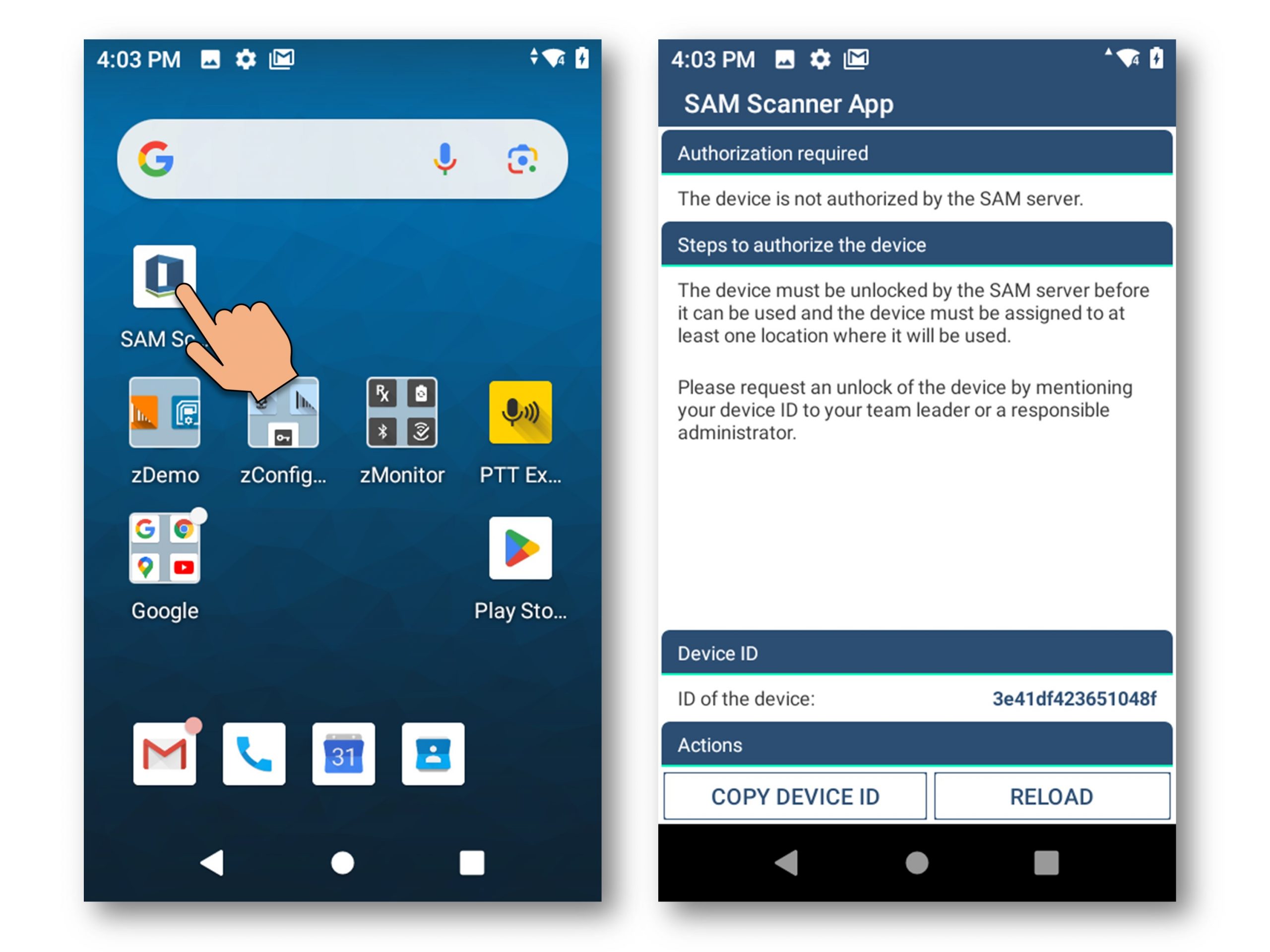
unique Device ID
Configuration of the RECALO SAM Scan App as well as the scanner
The Device ID is required by the RECALO IT team for configuration.
Then the appropriate location, the RECALO assets used on site, and the appropriate usecases and processes can be assigned to the device.