

Step 1 - Process selection - Dispatch capture
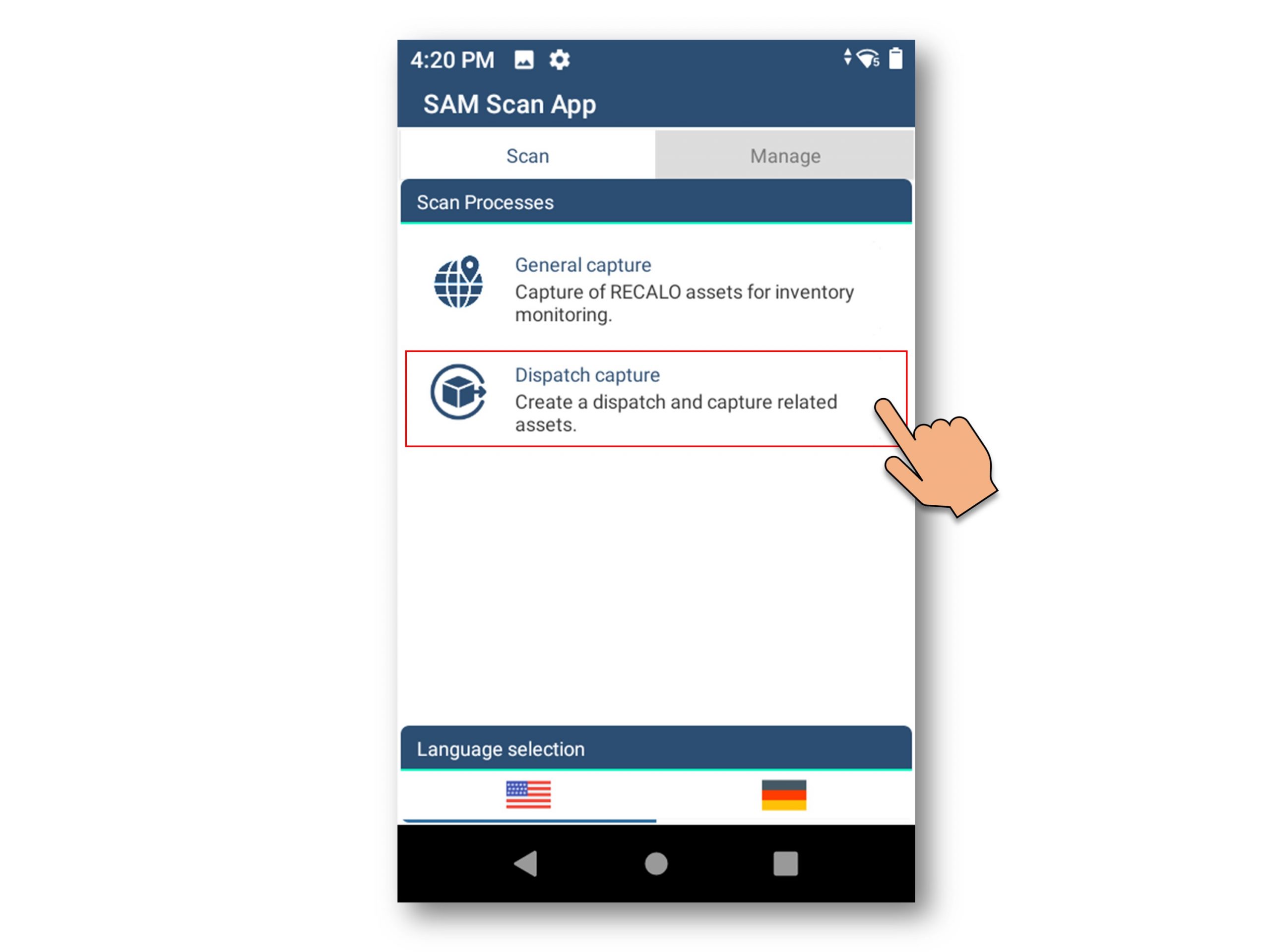
Step 2 - Selection of the agreed destinations
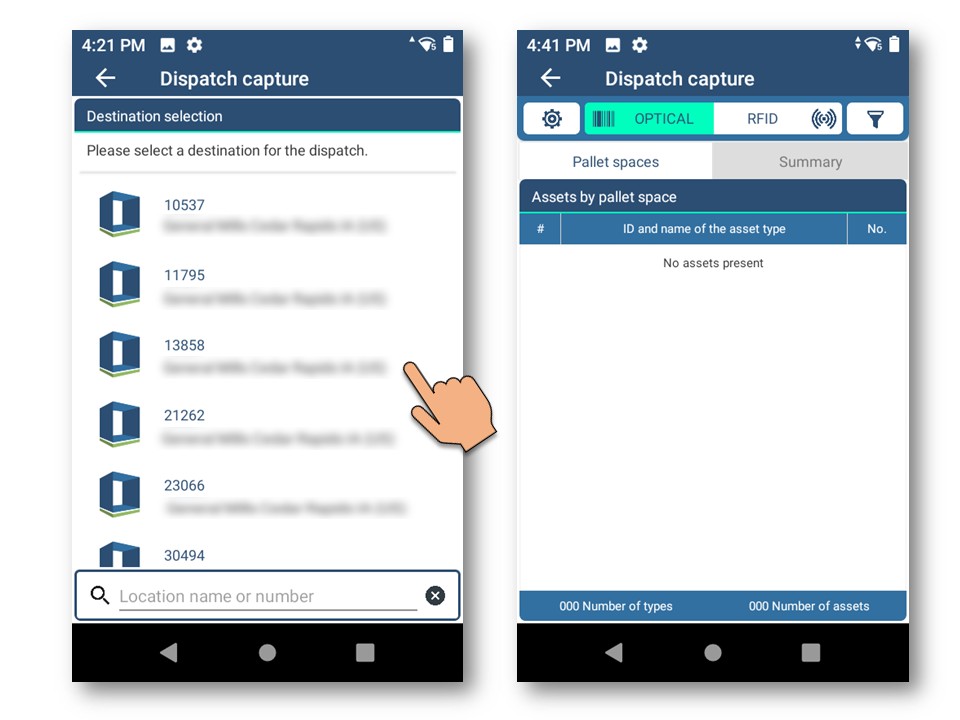
The corresponding destination must be selected before the returnable load carriers could be captured.
The technology used - optical barcode capture or alternative capture with RFID - can be easily changed during the reading process, if the device has appropriate functionality.
The returnable load carriers are captures using the switch on the handle (Gun trigger).
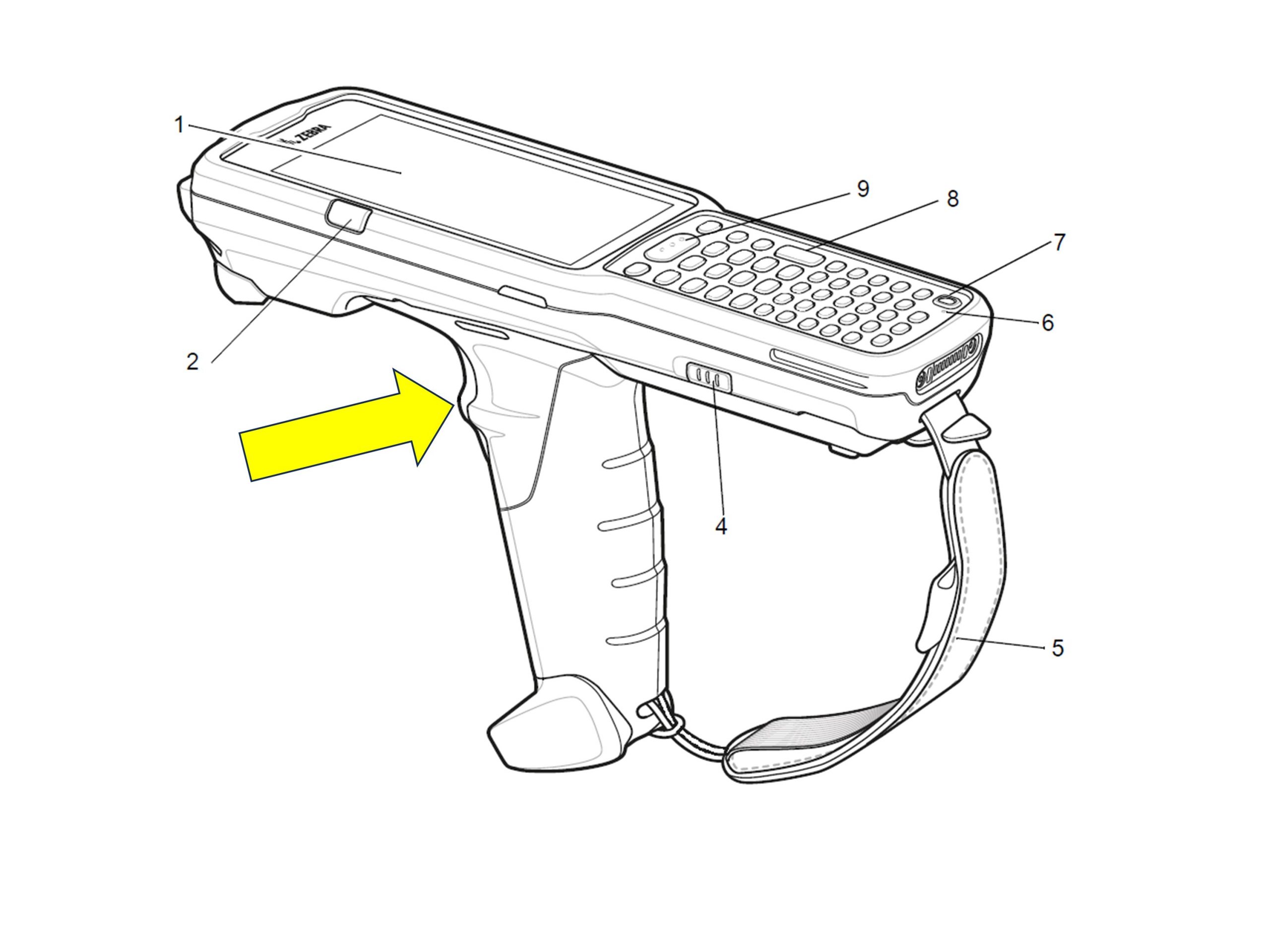
Step 3.1. - Capture the returnable load carriers
The returnable load carriers can optionally be recorded per pallet space or in total.
To illustrate this, this example shows the capturing of individual pallet spaces.
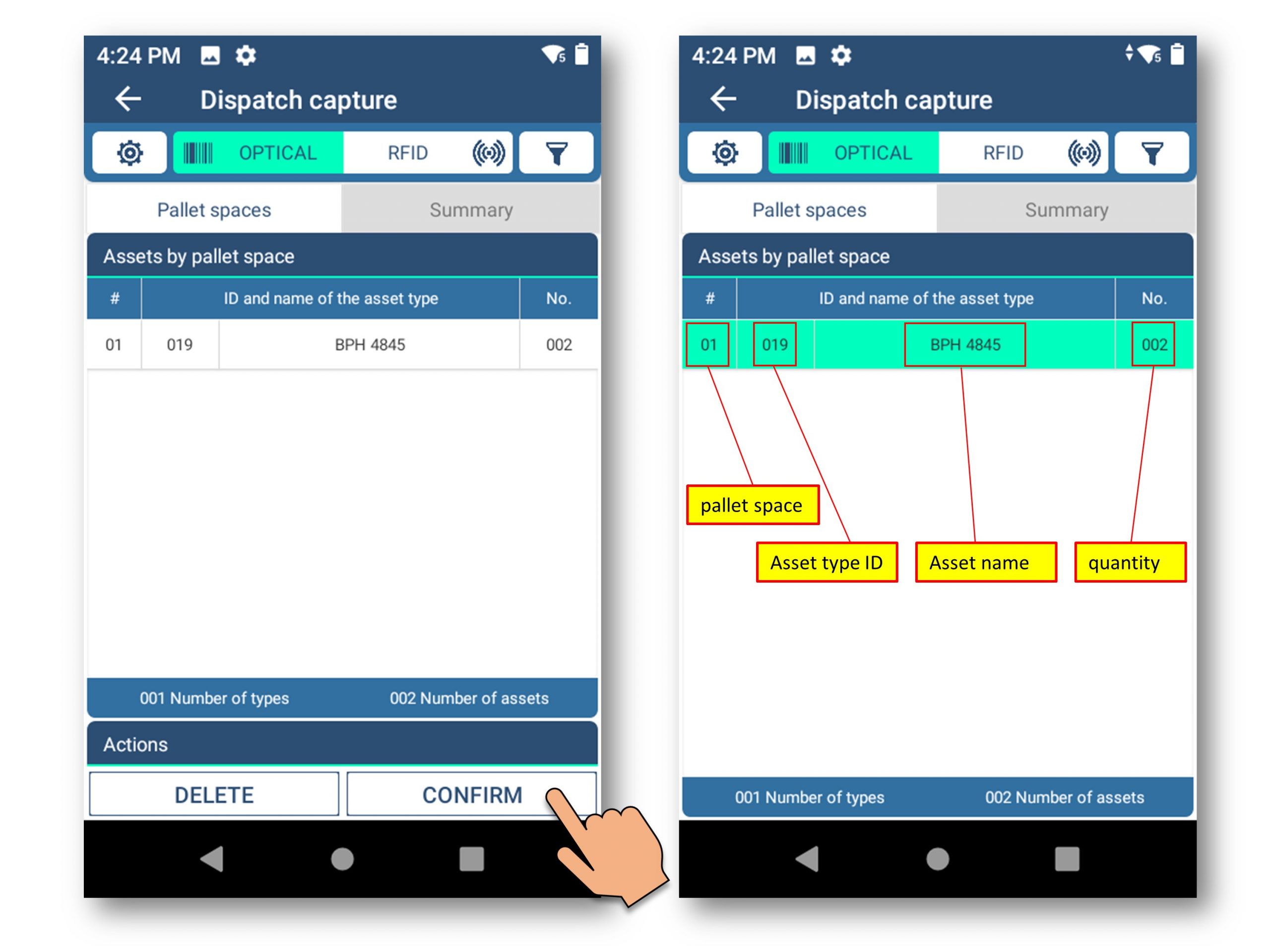
Process sequence:
- Capture the returnable load carriers
- Confirmation of the captured returnable load carriers
(a confirmed partial quantity corresponds to a captured pallet space; after confirmation, the line is displayed with a green background) - Optional: add further returnable load carriers
In this example, 2 filled returnable load carriers were captured and confirmed by the user.
Step 3.2. - Capture additional returnable load carriers
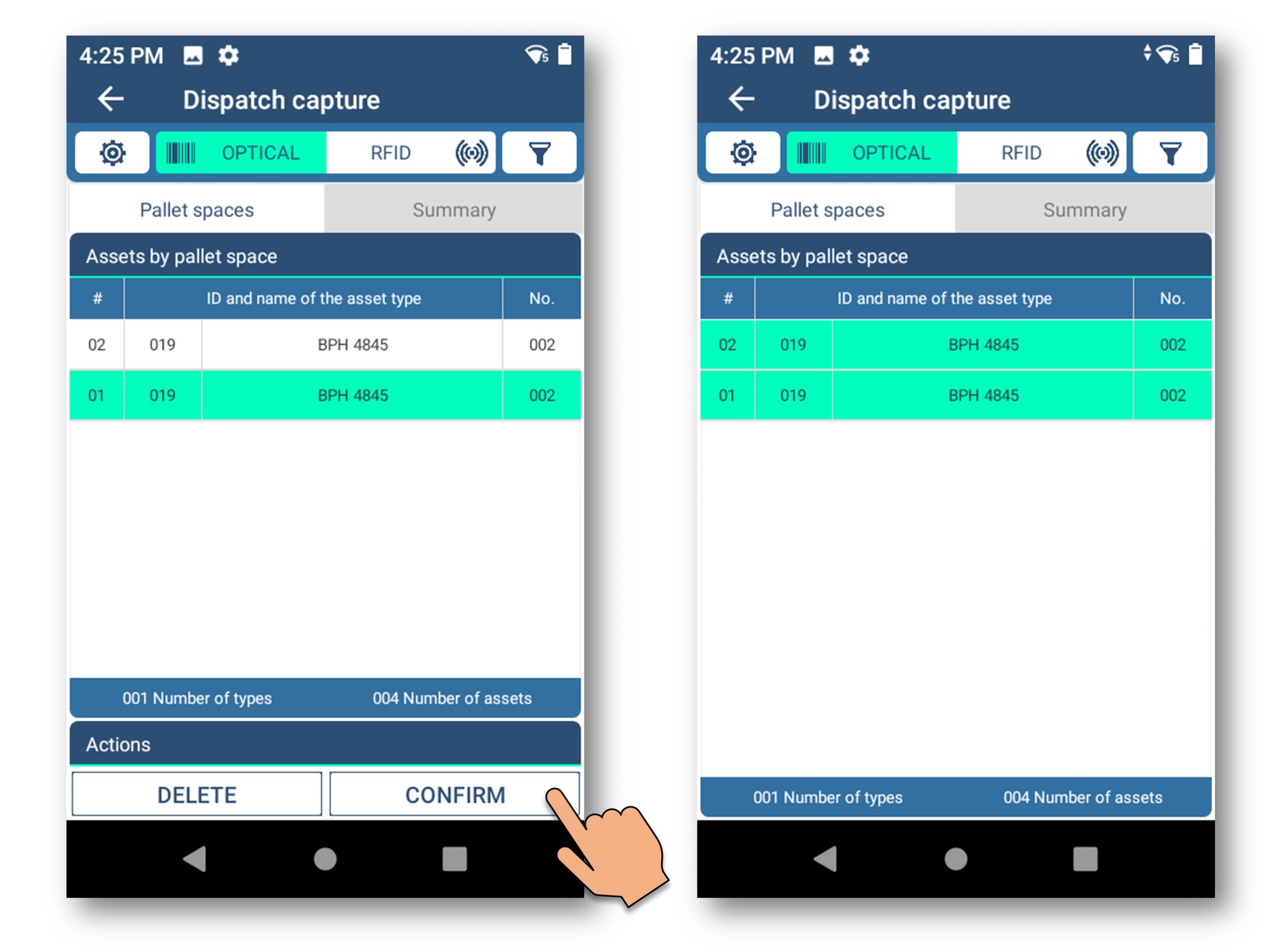
Capture of additional pallet space and confirmation.
Step 3.3. - Summarizing and sending the result set
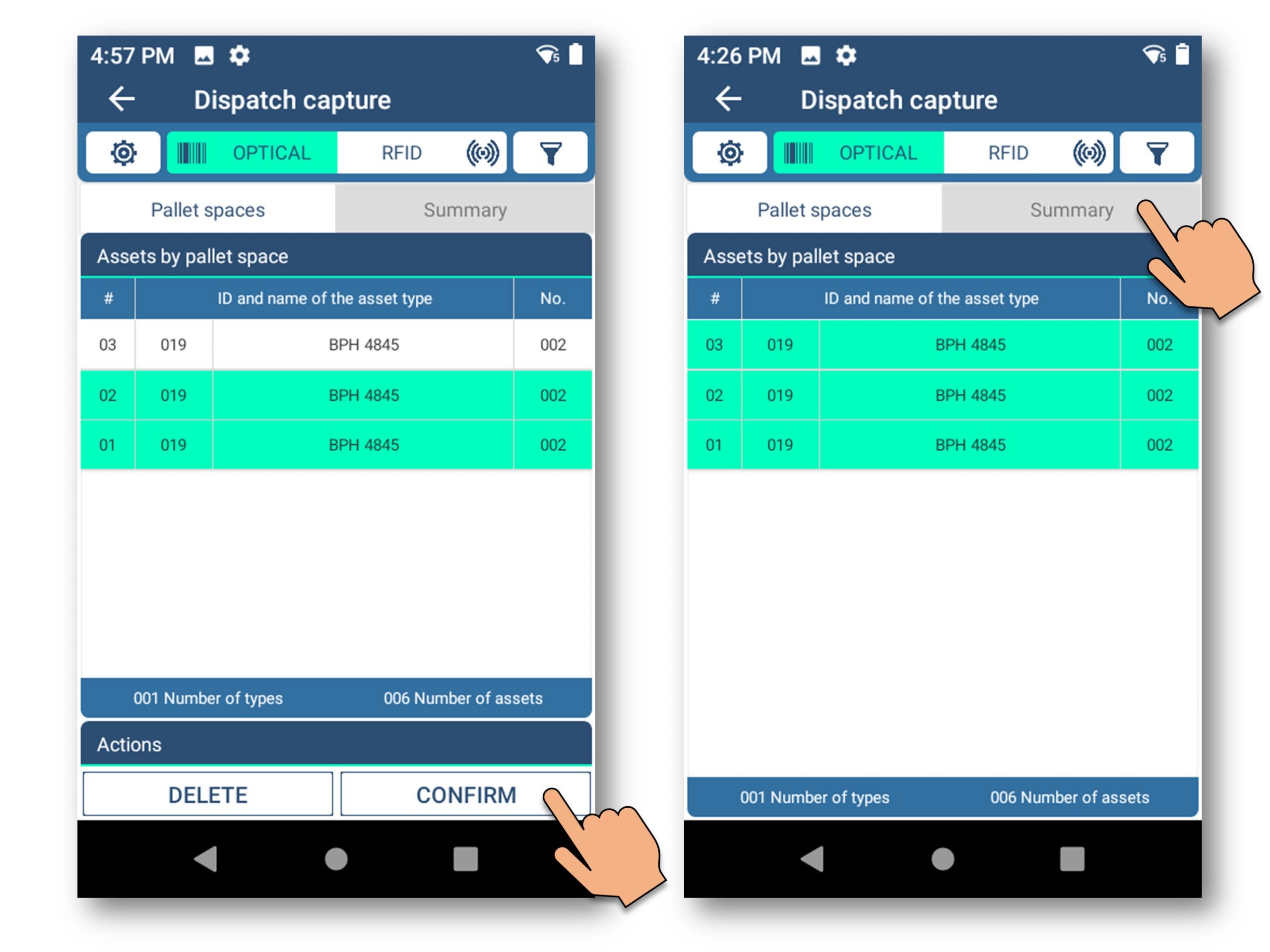
Capture of additional pallet space, confirming and summarizing the result set.
Step 3.3. - Summarizing and sending the result set
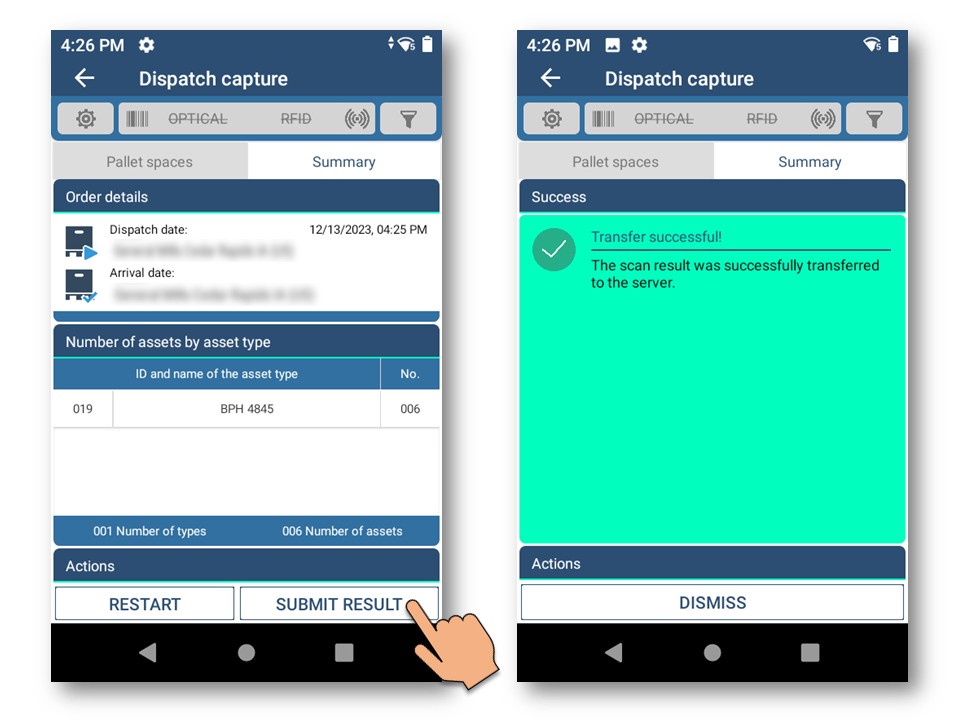
Display of the summary and transfer of the captured information to the RECALO ERP System.
- This process captures dispatches to a business partner quickly and easily.