

Step 1 - Process selection - Change Label
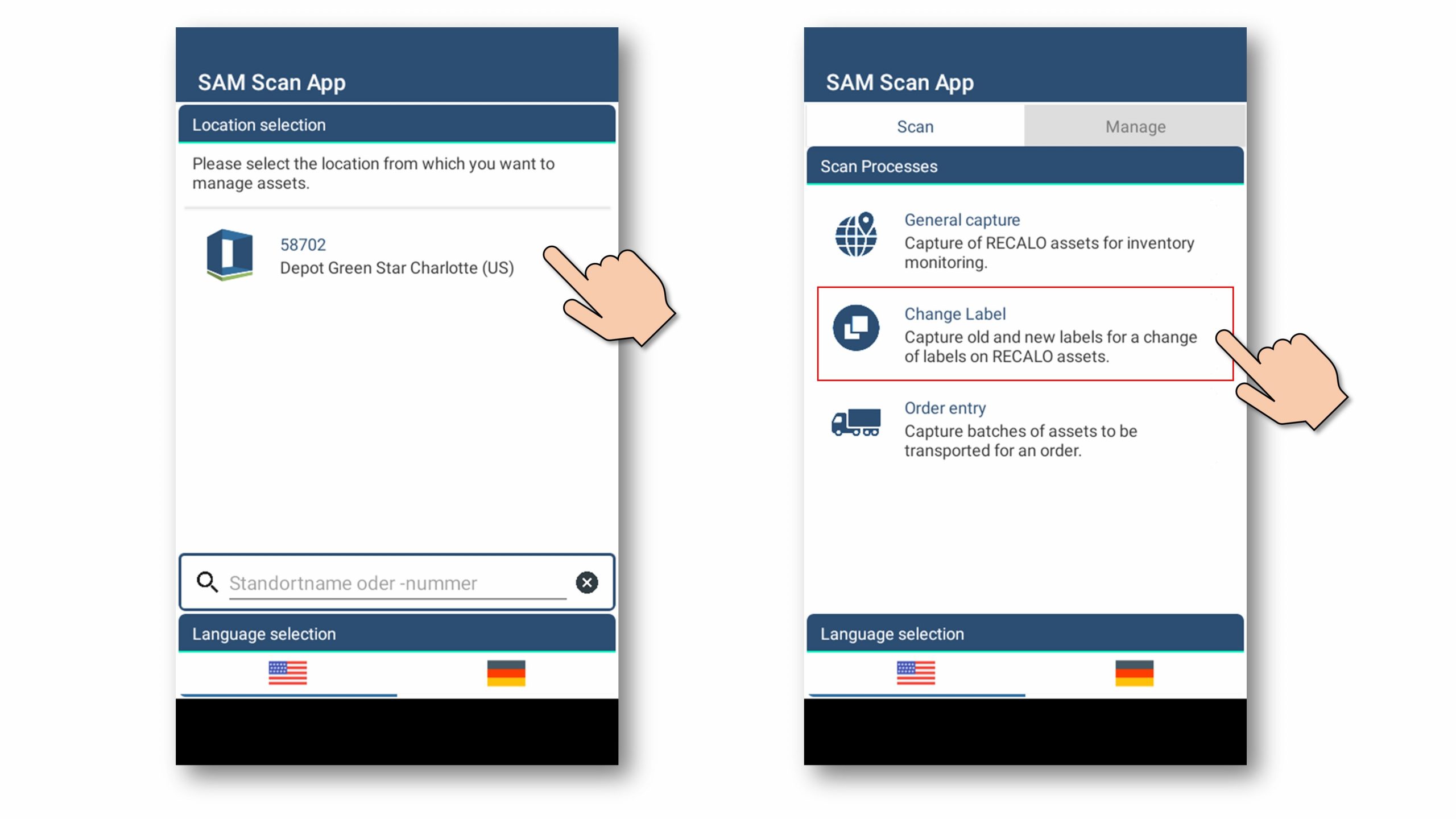
The process enables the documentation of a change of RFID/barcode labels at one individual load carrier.
The optical barcode camera is activated by default.
Step 2 - Capture of old label and new label at the RECALO asset.
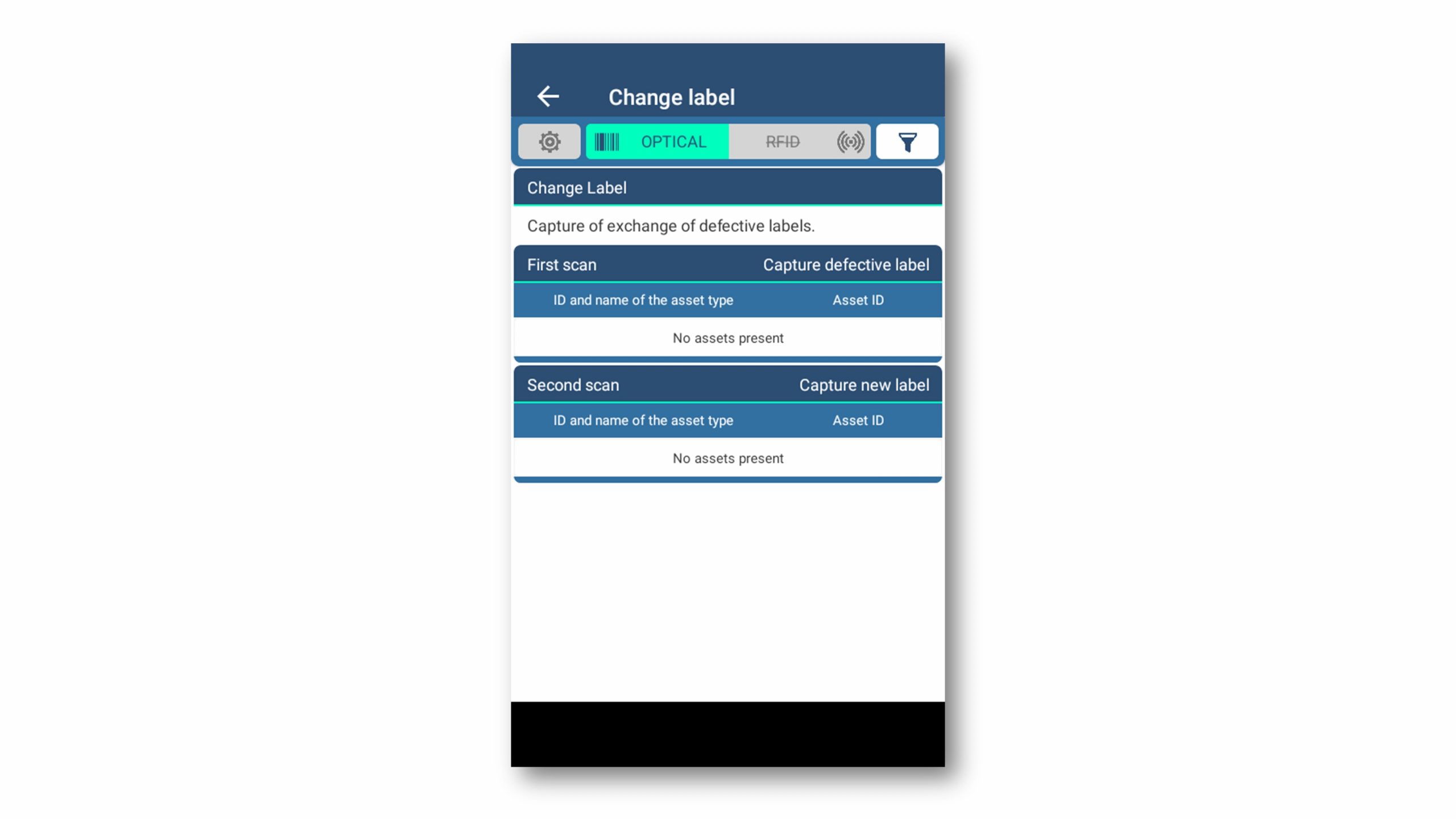
User interface for change label procedure.
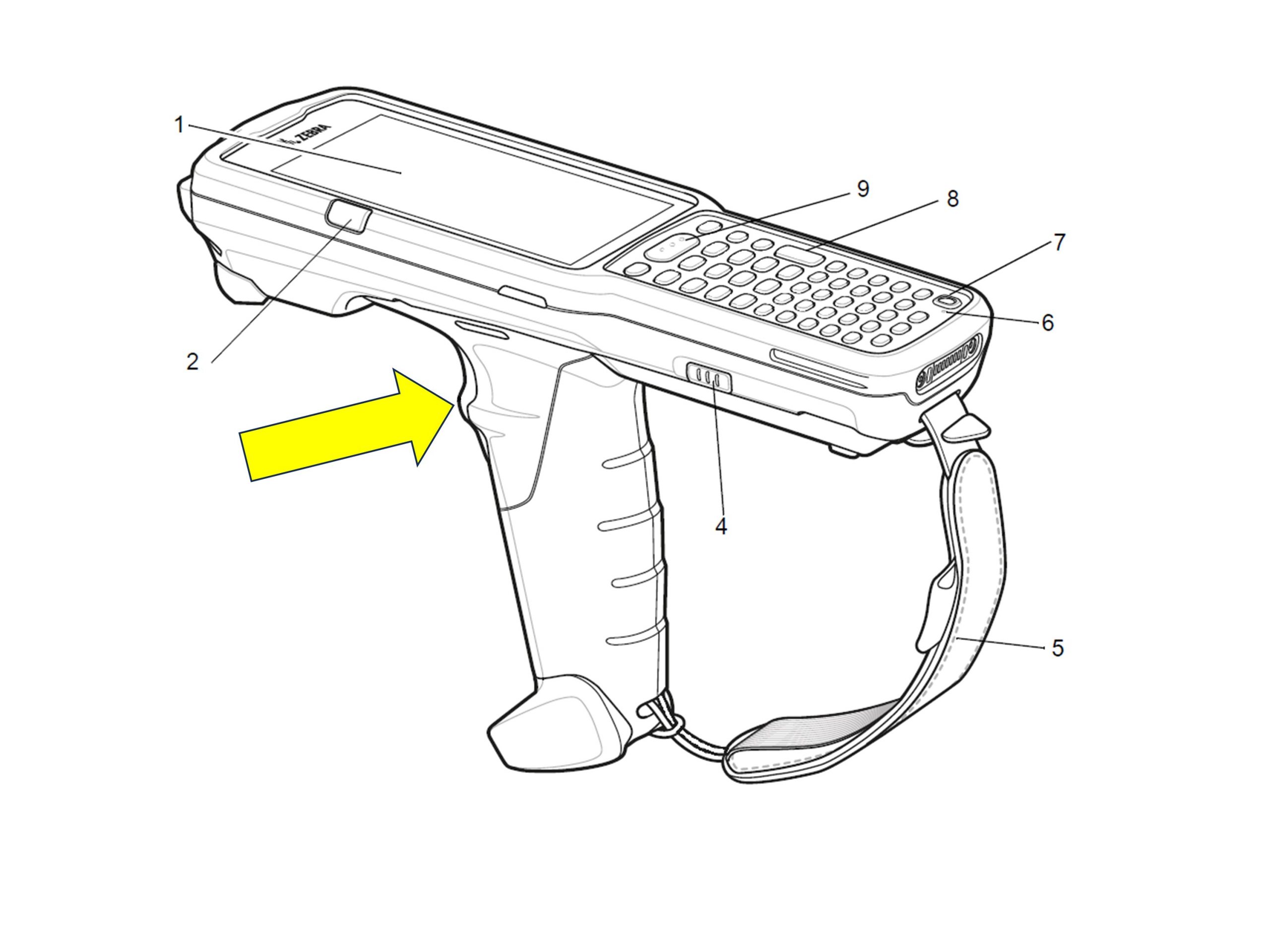
The labels for the assets are captured using the switch on the handle (Gun trigger).
Step 2.1. - Capture the old label and capture the new label
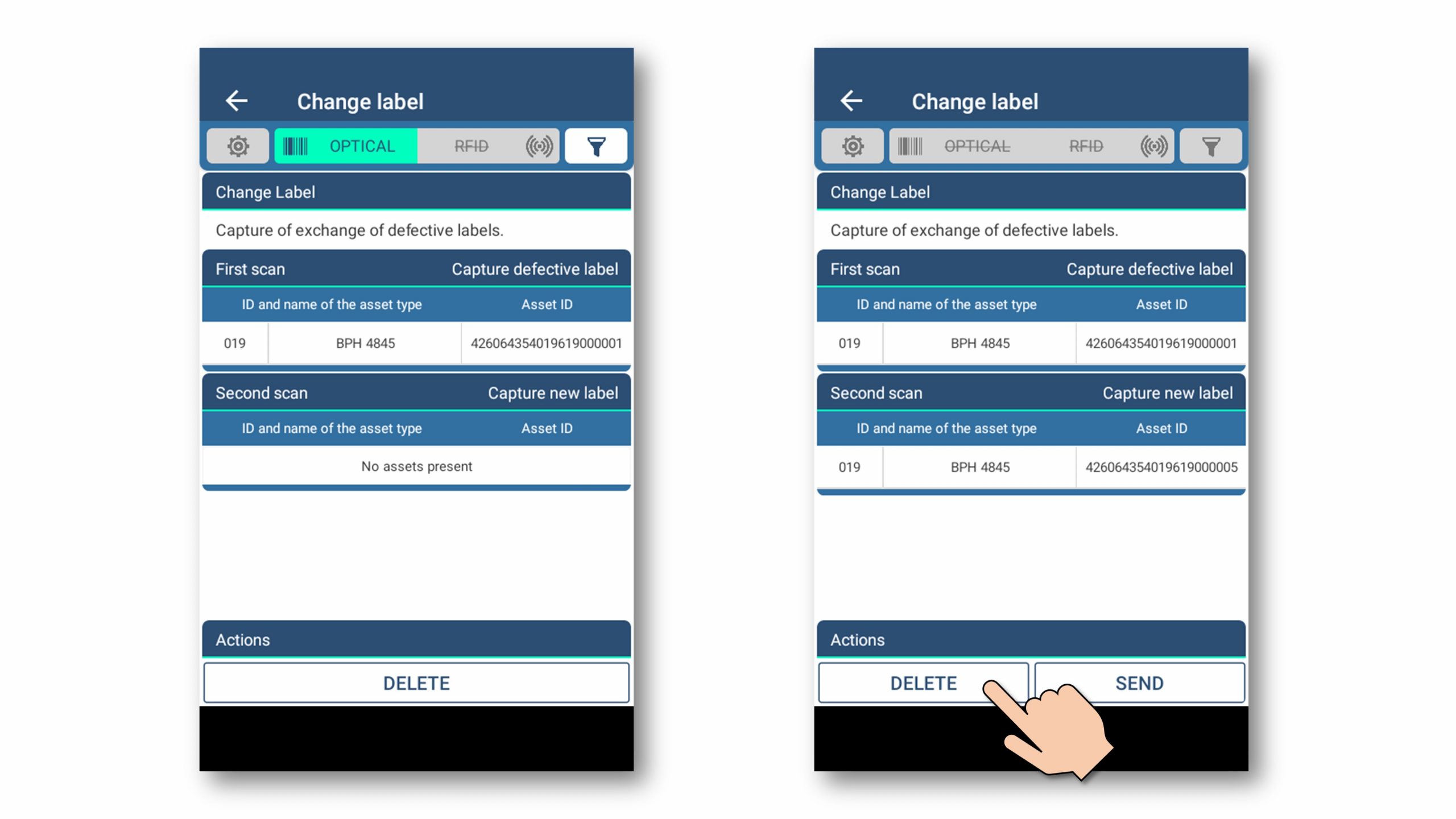
Process sequence:
- Capture the old label (the label that is being replaced).
- Capture the new label (the label that will be on the load carrier from now on).
- Optional: the process can simply be restarted in the event of faults
In this example, the result set is deleted.
Complete process flow:
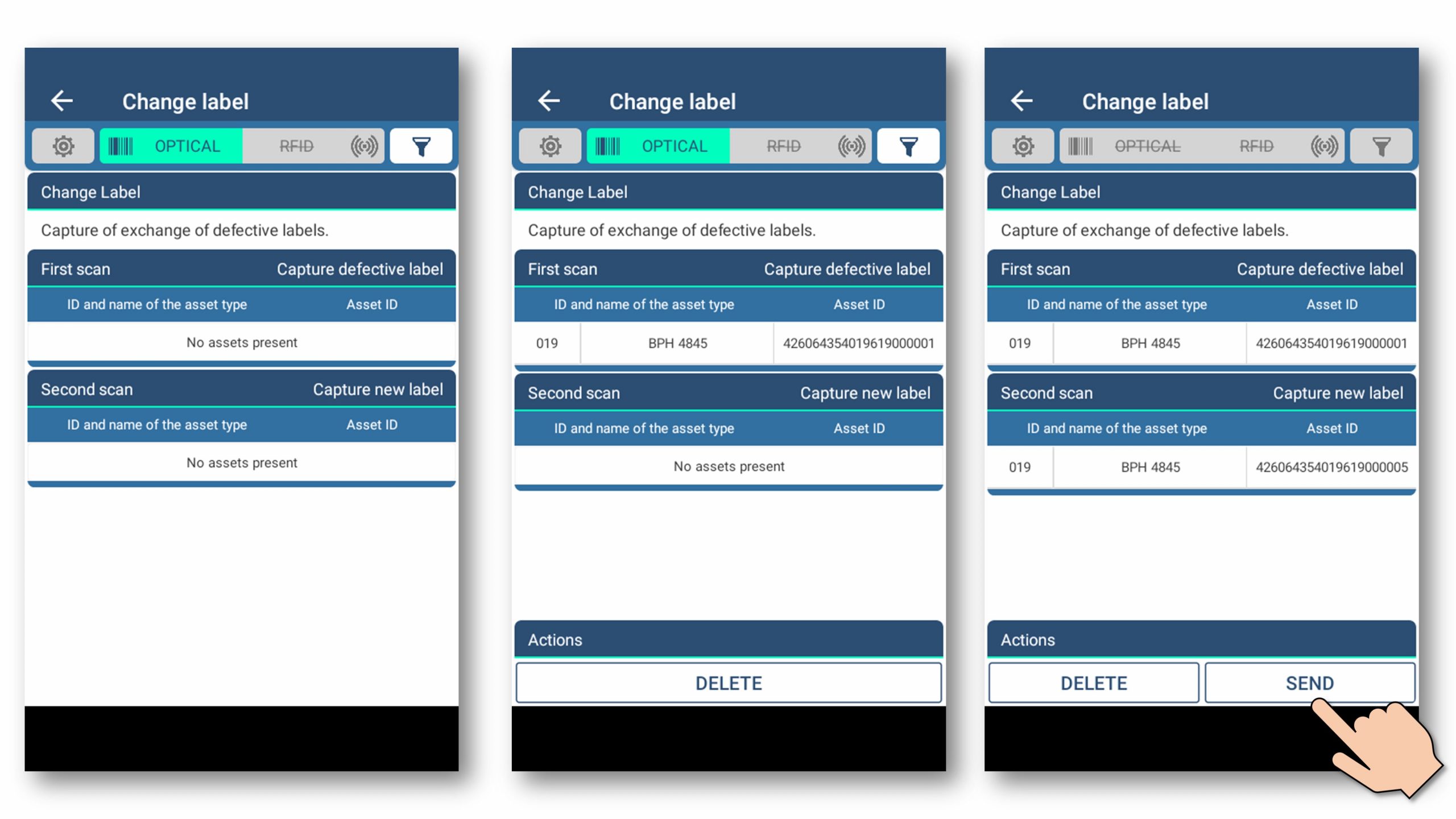
Sending/transferring the IDs of the old and the new label.
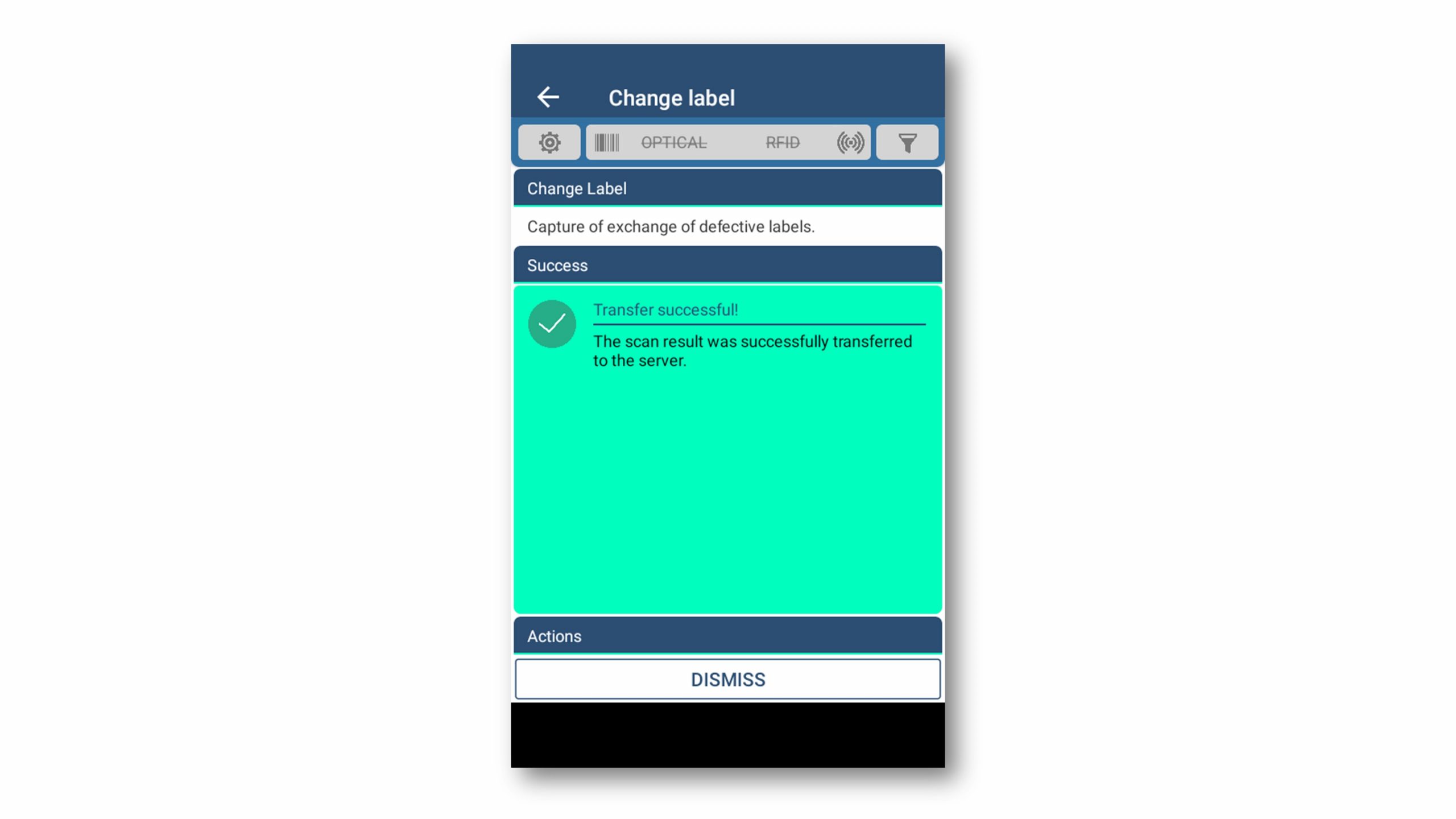
Successful transfer of information to the RECALO SAM system
- This process captures the change of labels at RECALO assets quickly and easily.